

Report a Bug or Discuss the Website
If you want to report a bug or have a suggestion for the website please visit r/HoradricExchange.
You can also contact me directly at info@horadricexchange.com.
One Click Screenshot Listing - Windows App
- Download the Windows App from the latest GitHub release and log in to your account.
-
Set a Capture hotkey in Settings.
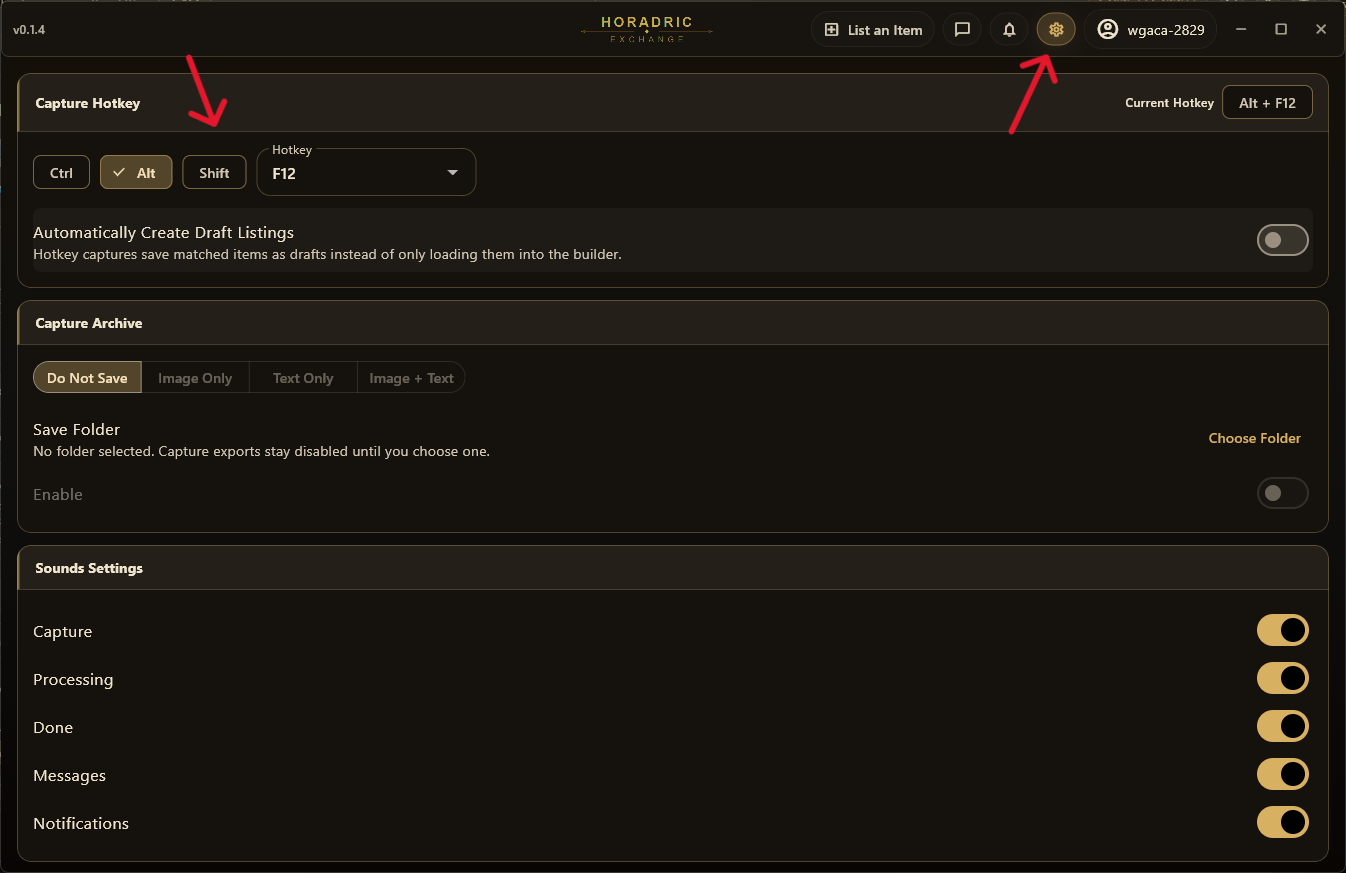
- Play the game as you normally would. When you find an item you want to list, hover your mouse over it so the tooltip is visible, then press the hotkey.
- If you selected "Automatically Create Draft Listings", the item will be saved automatically in your drafts. Otherwise, you can review it on the "List an Item" page in the app or on the website, if that page was open when you pressed the hotkey.
- Double-check that the item was identified correctly and that all variables were filled automatically.
- Set an asking price and list the item for sale.
One Click Photo Listing - Mobile Web
- Open www.horadricexchange.com on your phone or mobile device with a camera.
- Log in and open the "List an Item" page.
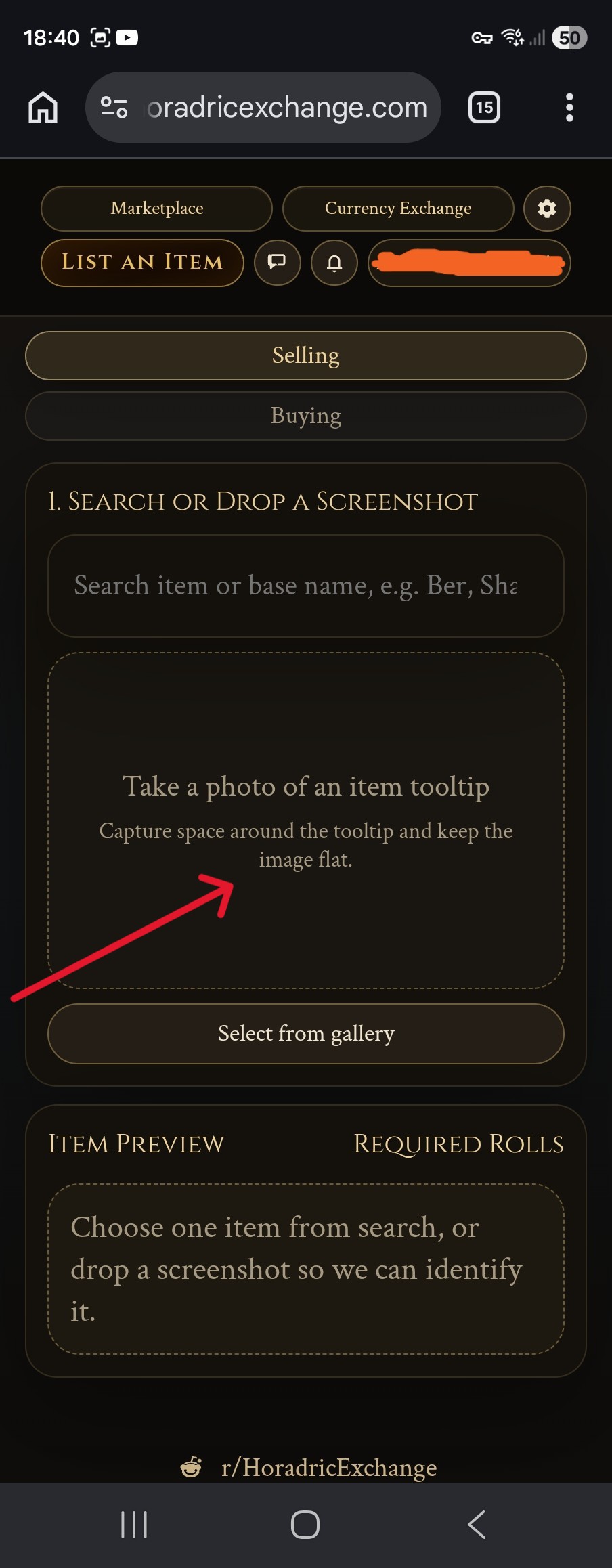
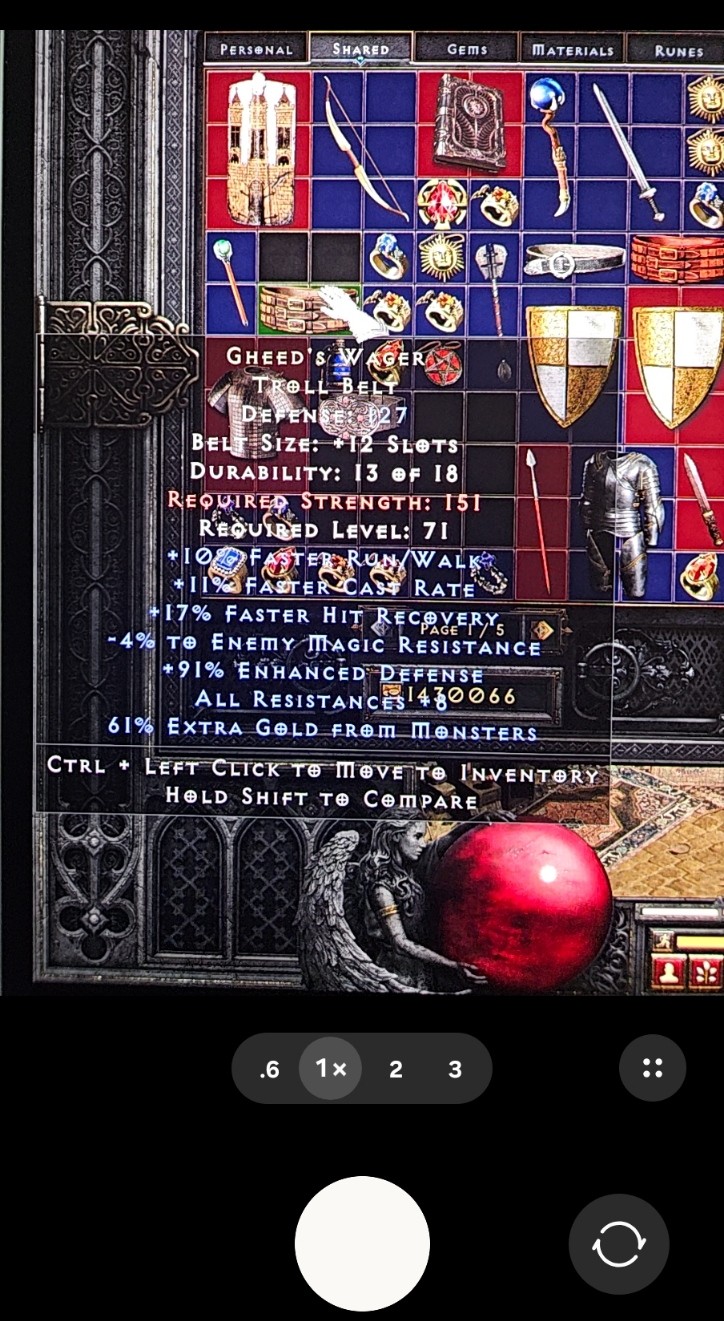
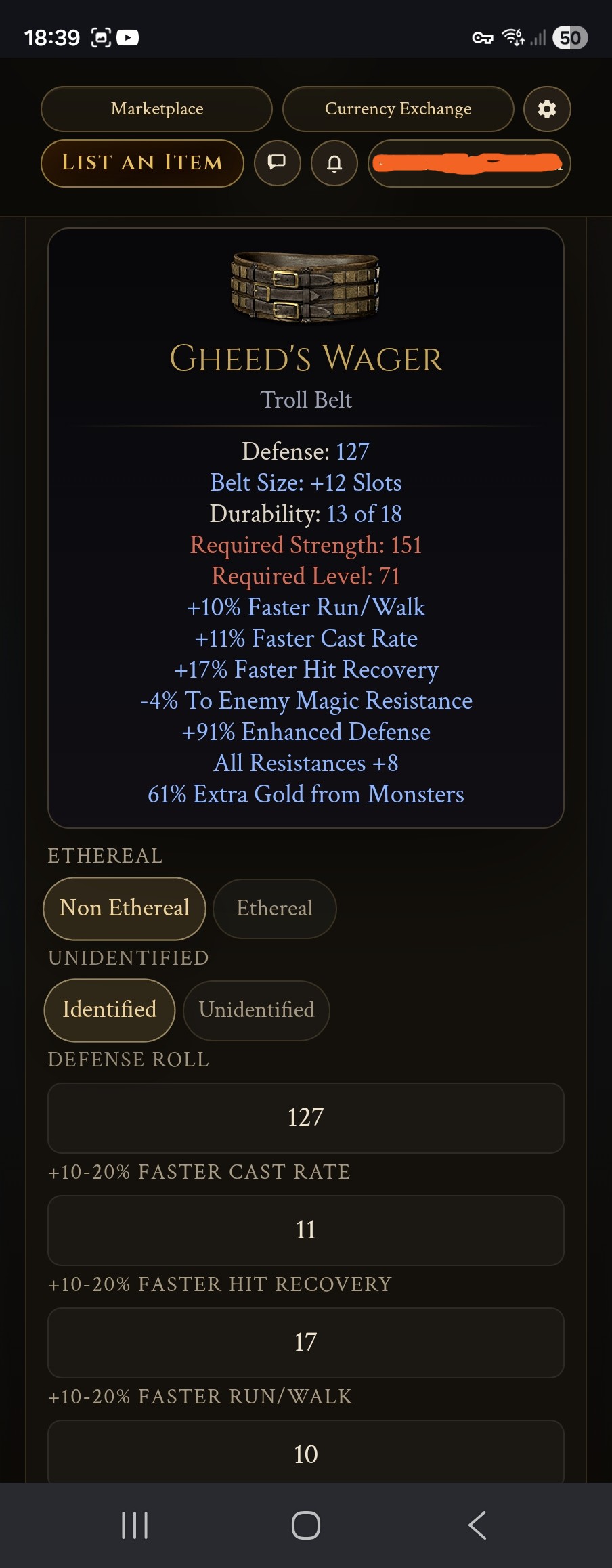
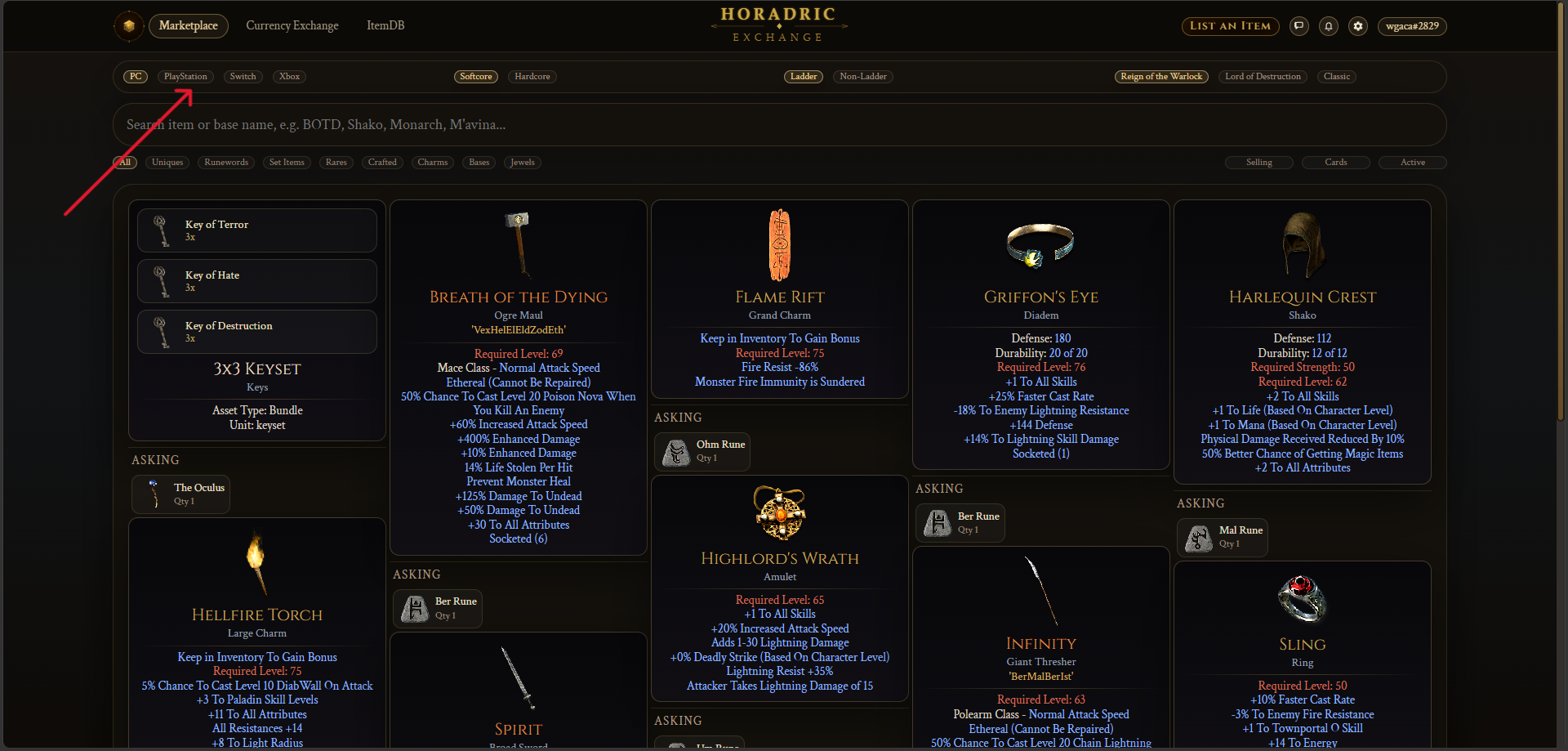
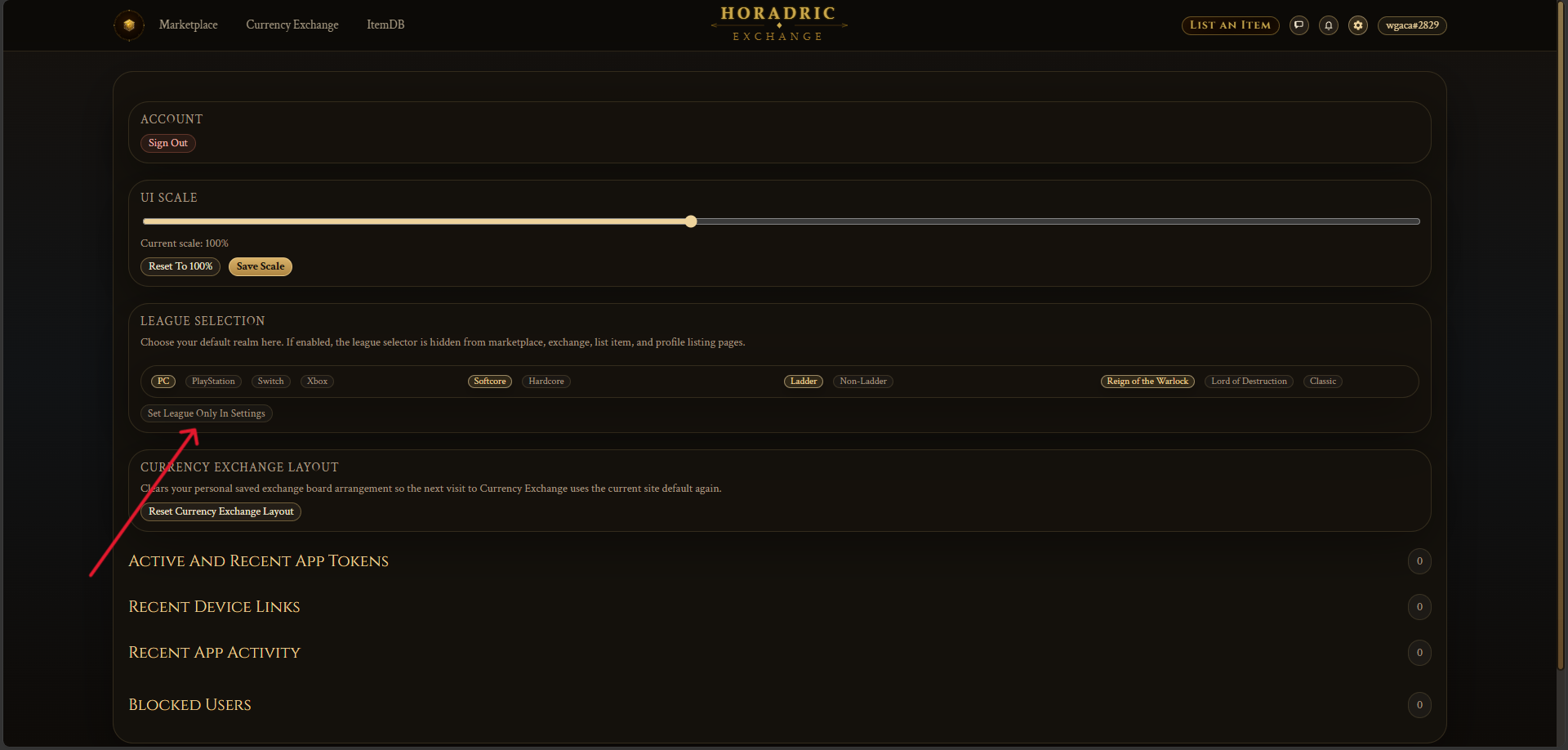
League Selection
Manual Item Upload
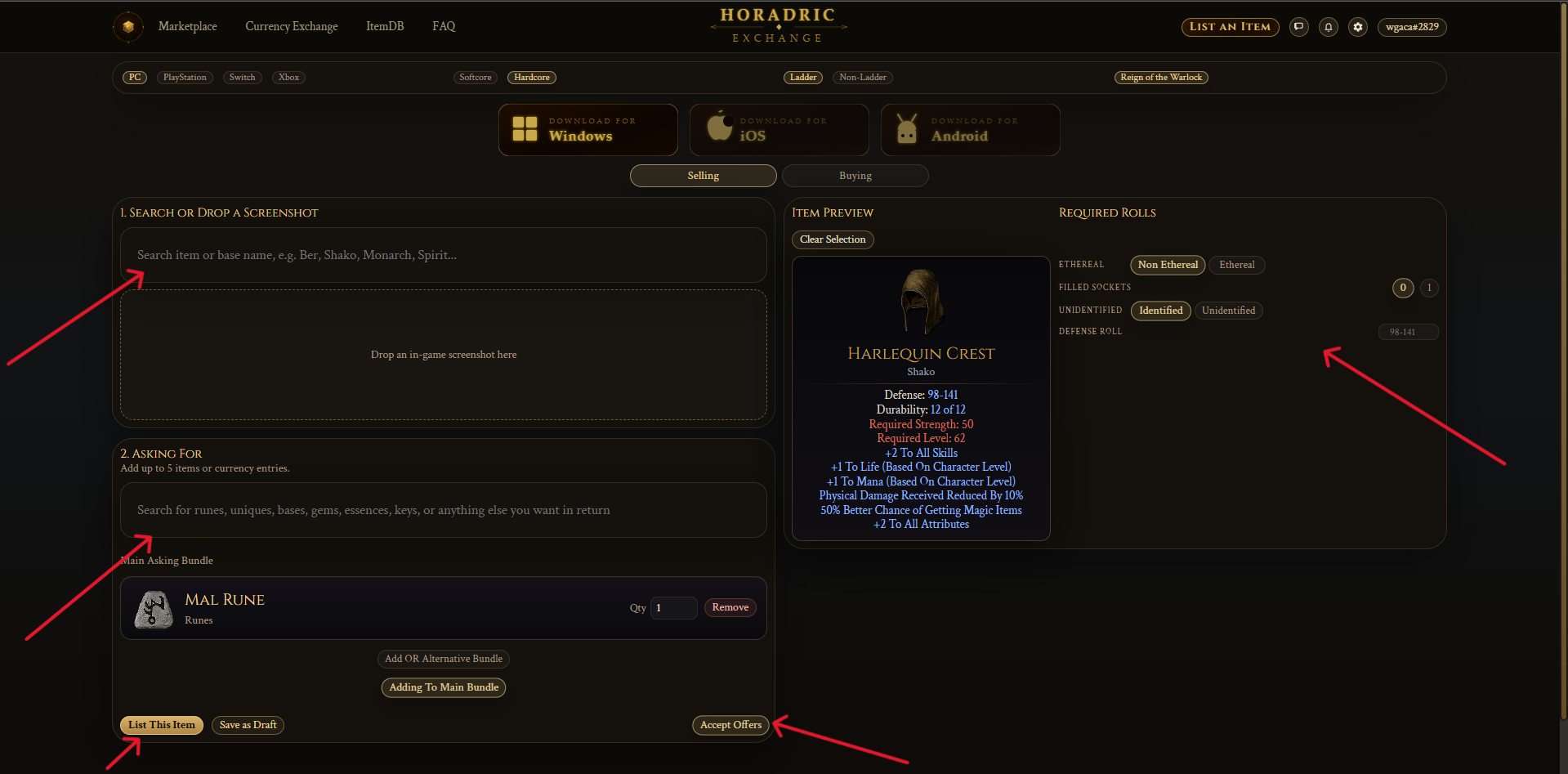
- Open the "List an Item" page.
- Search for the item you want to list. If it is a base, magic, rare, or crafted quality item, select the base and build the item by selecting each property separately.
- Set an asking price. If you do not want to receive offers other than your asking price, deselect "Accept Offers".
- List the item.
Marketplace Search Coming soon
This section will be filled later.
Currency Exchange Coming soon
This section will be filled later.
How Values Are Estimated Coming soon
This section will be filled later.